
Library Pulse
Ship it. They'll know.
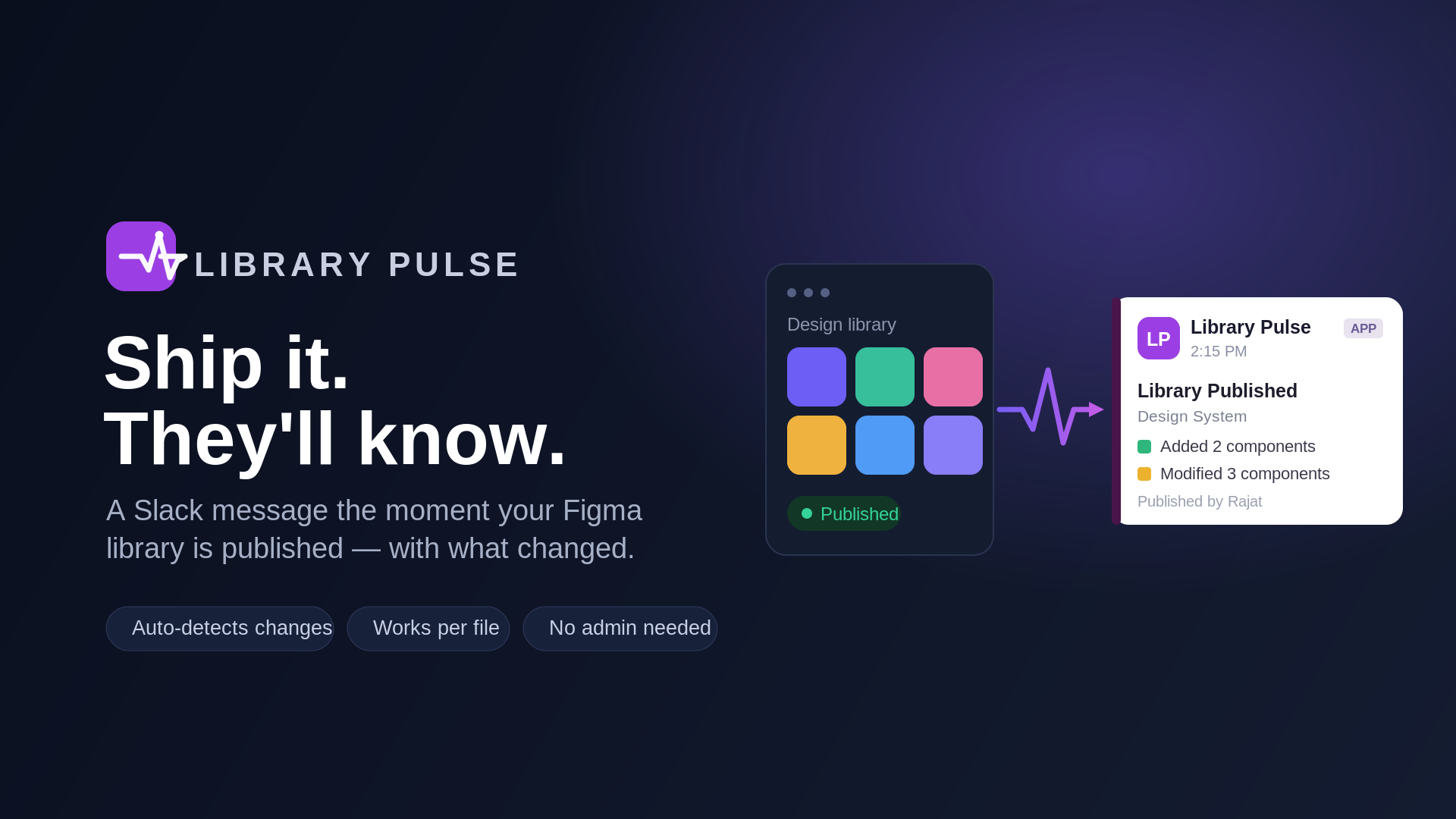
Slack alerts the moment your Figma library is published — see exactly what changed.
Currently in review by the Figma team. This page updates to a live install link once it is approved.
At a Glance
What it is
A Figma plugin that posts a rich Slack message every time a Figma library is published.
Who it's for
Design-system maintainers and the teams who depend on their libraries.
Why it's different
One-minute setup, works on any Figma account, and needs no admin rights.
The Story
The problem
Design systems change quietly. Someone republishes a shared Figma library — a renamed component, a new variant, a tweaked token — and the people who depend on it find out days later, usually when something already looks off.
Figma has no built-in way to tell your team, in the place they actually work, that the library just changed. The result is silent drift: stale components in use, duplicated fixes, and "wait, when did this change?"
The situation
I kept running into this on real teams. Figma does emit a LIBRARY_PUBLISH event when a library is published, and teams already live in Slack — but stitching the two together yourself means standing up OAuth, webhooks, a backend, and token encryption.
That's a lot of plumbing for a "nice to have," so most teams simply never do it. I wanted something a single designer could install and set up in about a minute — without filing a ticket, and without being a team admin.
The task
Build a Figma Community plugin that posts a clear Slack message the instant a library is published — listing exactly what changed — and make it work for anyone who installs it, on any Figma account, with the least possible access.
The action & solution
One idea did the heavy lifting: a per-user, per-file webhook. When you set up Library Pulse, you authorize Figma once (a single scope, webhooks:write) and the plugin registers a LIBRARY_PUBLISH webhook on the specific file you choose, using your own access to that file. No shared admin token, no team-admin requirement, no team ID to hunt down.
What lands in Slack
The library name and who published it, the description they typed, and the components, styles, and variables that were added, modified, or removed — plus a link back to the file.
Built for everyone, not just one team
An earlier version only worked for a single team. I reworked it into a true multi-tenant model, so any installer's own files are watched with their own authorization.
Security-first by design
Least privilege
The plugin requests only webhooks:write, and never reads your designs or file contents.
Encrypted at rest
Slack and Figma tokens are stored with AES-256-GCM.
Signed sessions
API calls are authenticated with a signed token, so one user can only ever touch their own configuration.
Clean teardown
Remove a configuration and its webhook is deleted automatically.
Under the hood
A Figma plugin (sandboxed logic plus an iframe UI), Vercel serverless functions, a Supabase/Postgres store for encrypted tokens and config, and Slack + Figma OAuth. Deliberately boring, boringly reliable.
How to Use
- Install Library Pulse from the Figma Community.
- Open it on your library file — it connects your Figma account automatically (one quick browser confirmation the first time).
- Connect Slack and authorize the workspace you want to post to.
- Pick your file and up to 3 Slack channels, then hit Save & Activate.
- Publish your library as you normally would — your channels get the update within seconds.
Note: publishing a Figma library is a paid-plan Figma feature; the plugin itself is free.
Privacy & Security
Library Pulse only ever asks Figma for permission to manage webhooks on the file you select. It does not read your designs or file contents. Your Slack and Figma credentials are encrypted at rest, and you can remove a configuration at any time — which also removes the webhook.
Release history
v1.0.0 — first public release (In review)
- Per-user Figma OAuth with a single scope (
webhooks:write) - File-context webhooks — watch any file you can edit, no admin needed
- Rich Slack (Block Kit) messages with added / modified / removed items
- Up to 3 Slack channels per file
- Encrypted token storage and signed-session API auth
What's next
Microsoft Teams support
Post the same updates to Teams, not just Slack.
Pick your Figma file from a dropdown
No more pasting a file key.
Choose Slack channels from a dropdown
Select channels by name instead of channel IDs.
Ideas beyond that: variable-level detail, a daily/weekly digest mode, and per-channel filters. Have a request? Get in touch.
FAQ
No. You only need edit access to the file you want to watch.
No. It only registers or removes a webhook on the file you pick. webhooks:write is the only Figma scope it uses.
The plugin is free. Publishing a Figma library is a paid-plan Figma feature — that part is on Figma's side, not the plugin's.
Your channel configuration and encrypted Slack/Figma tokens — nothing from your file contents.
Get Library Pulse
Built by Rajat Garg